Every platform can build a good-looking site. The difference shows up a year later: who can move it, who keeps it fast and who keeps it updated.
Updated October 2026. Written by the We Lead team in Naples, FL. We build on WordPress, so read this knowing that. It is also why we can tell you when not to use it.
For most Naples businesses that want to grow through search, WordPress is the better long-term platform: it runs 40.1% of all websites, it can move to any host, and you control everything that affects speed and SEO. Wix or Squarespace are the better choice when the site is small, the budget is tight and nobody will maintain it, because they handle hosting, security and updates for you. The trade-off: a Wix site cannot leave Wix, and a Squarespace export leaves behind store pages, video and your design.
The platform question usually gets asked as a design question, which is the wrong frame. All three can look professional on launch day. What separates them is what happens afterwards: whether the site can grow with the business, whether it stays fast as things get added, and whether you can change developer or host without starting over.
What is actually different between WordPress, Wix and Squarespace?
Mostly two things: who runs the infrastructure, and whether you can leave.
| WordPress | Wix | Squarespace | |
|---|---|---|---|
| Where the site runs | Any hosting you choose | Only on Wix’s servers | Only on Squarespace’s servers |
| Can the whole site move elsewhere? | Yes, to any host | No | Partly: basic pages, one blog and images export; store pages, video, style settings and custom CSS do not |
| Who handles updates and security | You or your developer | Wix | Squarespace |
| What you pay for | Hosting, design and maintenance; the software itself is open source | A platform plan | A platform plan |
| Control over code, speed and structured data | Complete | What the platform exposes | What the platform exposes |
| Online store | WooCommerce or a connected store | Built in | Built in |
The ownership point deserves precision, because it is often overstated. Wix says plainly that the content you build on Wix belongs to you, and in the same article that your site must run on Wix’s servers. Both are true at once: the words and images are yours, the working site cannot go anywhere else. Squarespace offers an export file meant for importing into WordPress, and lists what it leaves out. WordPress itself is released under the GPLv2 open-source license, so the software can follow you to any host.
When is Wix or Squarespace the better choice?
More often than WordPress developers tend to admit. A hosted platform is the honest recommendation when:
The site is a brochure
A handful of pages for a business that grows by referral, where the website confirms you exist rather than bringing in new customers.
Nobody will maintain it
An unmaintained WordPress site is worse than a maintained Wix site. If there is no budget or person for updates, let the platform carry that.
The same applies if you want to edit everything yourself, visually, this afternoon, and you are not planning to compete hard in search. A good developer should tell you this before quoting you a WordPress build.
When is WordPress worth it?
When the website is expected to do work, not just exist. In practice that means three situations:
Search is a channel you want to grow
A page for each service and each area you serve, articles that answer real questions, structured data on every page. All of that needs full control over the page.
This is the kind of build behind our own service pages, and it is what most Naples service businesses competing for local searches need.
The site will keep growing
Booking, a store, a members area, a connection to your CRM. On WordPress these are additions to the same site.
On a hosted platform you are limited to what that platform offers or allows.
You want to be able to leave
A different developer, a different host, or a redesign that keeps every address the same. WordPress allows all three without starting the site from scratch.
That freedom only holds if the hosting, domain and admin access are in your name.
If that sounds like your business, this is the work our WordPress development in Naples is built around.
Is WordPress slow?
It has that reputation, and the reputation is mostly earned by what gets installed on top of it, not by WordPress itself. We found that out on our own site.
In August, our article pages were loading 303 KB of a page builder’s styling they did not use at all. Removing it from the pages that did not need it took one article from 65 to 100 on Google’s mobile PageSpeed test, and the largest element on the page appeared in 1.7 seconds instead of 5.6. The same audit turned up two more problems that are common on WordPress sites:
None of these are WordPress problems. They are build decisions, which is why two WordPress sites can perform completely differently. Hosting is the fourth factor, and the one most worth paying a little more for.
What does WordPress maintenance actually involve?
Updates, backups and someone paying attention. It is not optional, and the reason is specific: according to Patchstack’s State of WordPress Security in 2026, 11,334 new vulnerabilities were found in the WordPress ecosystem in 2025. 91% were in plugins, 9% in themes, and only 6 in WordPress itself. The risk is not the platform. It is the plugin nobody updated.
Maintenance also means knowing what to do when the routine fails. In August our own WordPress update, from version 7.0.4 to 7.1, failed repeatedly from the dashboard. The server stopped any web request after about two minutes, and unpacking roughly 3,750 files takes longer than that. The dashboard only showed an error. Run from the command line, the same update finished in seconds. That is the difference between having WordPress and having someone who looks after it.
What that costs per month, alongside hosting and the domain, is broken down in what a website costs in Naples.
Which platform is better for SEO?
Less different than the argument usually suggests. All three let you set page titles, descriptions and clean addresses, which covers the basics. The gap shows beyond the basics: page speed, structured data and how much of each page you can shape. On WordPress you control all of it. On a hosted platform you control what the platform exposes.
The platform is rarely what holds a Naples business back in search. Pages that match what people actually search for, a complete Google Business Profile and a steady flow of reviews matter more. A well-structured Wix site can outrank a neglected WordPress site. Where WordPress pays off is when you are ready to compete properly, with the SEO work that needs that control.
What should you ask before anyone builds you a WordPress site?
Three questions sort most of it out. Is it a custom theme, or a purchased theme with a page builder, and what does each page load? Who handles updates and backups, and how often? Will the hosting, the domain and administrator access all be in your name? The full list, including how to check a portfolio yourself, is in how to choose a web design company in Naples.
Frequently asked questions
Not sure which platform fits your business? Our free audit looks at your current site, or your plans if you do not have one yet, and tells you honestly whether WordPress is worth it for you. Yours to keep either way. Request the free audit or see how we approach website development for Naples businesses.
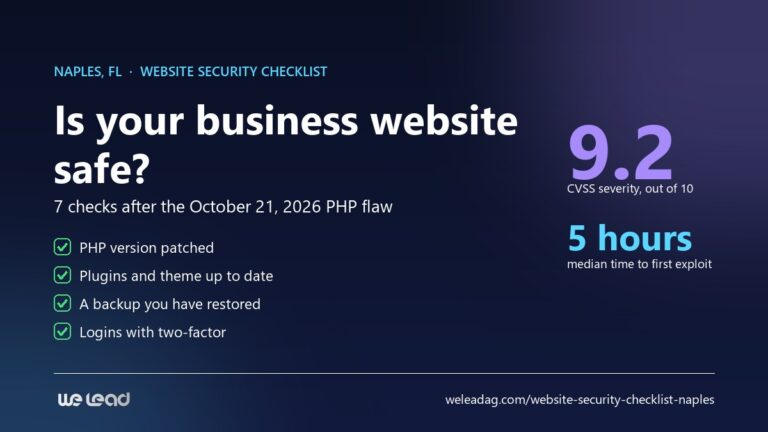
About this guide. Written by the We Lead team in Naples, FL. The speed and maintenance examples come from our own WordPress site, measured in August 2026. Platform facts link to each platform’s own documentation. Comparing companies rather than platforms? Start with how to choose a web design company in Naples, or see what our web design company in Naples includes. Whichever platform you pick, this seven-point security check applies to it.