On October 28, 2026, WordPress released version 7.1.4 with fixes for 22 security vulnerabilities, the most serious a weakness in the upgrade process itself that can lead to remote code execution. On November 3, the U.S. cybersecurity agency CISA added that flaw, CVE-2026-119977, to its list of vulnerabilities attackers are actively exploiting. If your site updates itself, as most do, it is probably patched already. Here is how to confirm it in a minute, what to look for if your site updated after the news broke, and the few cases where somebody has to act today.
Published October 29, 2026. Updated November 4, 2026, after the CISA listing. Written by Rares Rata, who runs SEO and AI Search at We Lead in Naples and maintains the websites the agency builds. Every fact below is checked against the official WordPress release post and documentation, the CISA catalog and the security reporting linked in the text.
Most WordPress sites install 7.1.4 on their own, because maintenance and security releases have updated automatically by default since WordPress 3.7. Log in and open Dashboard, then Updates: if it shows 7.1.4 or newer, the flaw is closed. Attackers are now targeting it, so also run the short check further down, because the update itself ran the old process. Act today if automatic updates are switched off, your site is several major versions behind, or nobody can log in to check. Wix, Squarespace and Shopify sites do not run WordPress and are not affected by this release.
WordPress 7.1.4 at a glance
| Item | Details |
|---|---|
| Released | October 28, 2026 |
| Type | Security release of WordPress 7.1, recommended for immediate update |
| Main flaw | CVE-2026-119977, listed by CISA on November 3, 2026 as actively exploited |
| Severity | CVSS 8.1 (High) from Wordfence, which assigned the CVE. WordPress rates it Low. |
| Affected versions | WordPress 4.7 through 7.1.3 |
| Vulnerabilities fixed | 22, including a race condition during core updates that could lead to remote code execution and several stored cross-site scripting issues |
| Also included | Updated bundled root certificates, after the eMudhra revocation |
| How sites get it | Automatically, on sites where background updates are on; otherwise Dashboard, then Updates |
| Older versions | Fixes backported to every branch back to 4.7, for example 7.0.8, 6.9.11, 6.8.12 and 6.7.11. WordPress 4.6 and earlier get no security updates. |
| PHP version | WordPress.org recommends PHP 8.3 or greater. WordPress still runs on PHP 7.4 and up, but those older versions no longer get security updates. |
| Changelog | The official WordPress 7.1.4 version notes list every fix and every file changed |
Is CVE-2026-119977 being exploited?
Yes. On November 3, 2026, CISA added CVE-2026-119977 to its Known Exploited Vulnerabilities catalog, the list of flaws with evidence of real attacks, and gave U.S. federal agencies until November 6 to fix it. That deadline binds federal agencies, not private businesses, but the listing tells you what attackers are working on right now.
The flaw is a race condition. During a full-package core update, affected versions unpacked the new files into a predictable folder that could be reached from the web. Someone who requested the installer inside that folder during those few seconds could end up running code on the server, with no login needed. The timing is hard, which is why WordPress rates it Low while Wordfence, weighing the damage, rates it 8.1 out of 10.
The Hacker News reports that Wordfence recorded more than 18,500 requests aimed at those installer paths in the first 21 hours after disclosure. Those are attempts. The reports we read do not confirm any successful break-in so far.
My site is on 7.1.4. Could it have been hit before the update?
Going forward, 7.1.4 closes the flaw. The catch is that the update to 7.1.4 was itself run by the old process, and the attack only works during an update. The risk is small, but a five-minute look is cheap:
- Open Users and look for an administrator account you did not create.
- Look for plugins or themes nobody remembers installing.
- Ask whoever maintains the site to look for PHP files in wp-content/uploads and wp-content/upgrade, which should not hold any beyond an empty index.php, and for recent changes to wp-config.php or .htaccess.
- Ask your host for the access logs around your update time and look for requests to wp-content/upgrade. A POST to an installer file there that returned 200 should be treated as a probable compromise.
If any of these turn up, keep a copy of the site as it is and get help before deleting anything.
What did WordPress 7.1.4 fix?
The official release post groups the fixes into twelve items plus a certificate update, and the version notes count 22 vulnerabilities in total. The one that matters most is a race condition during core updates that can lead to remote code execution, the worst case in web security: someone ends up running their own code on your server. Most of the others are stored cross-site scripting issues, spread across block markup, the Interactivity API, the Customizer, user logins, privacy data removal requests and several blocks. In plain terms, a person who can submit content could plant a script that runs later in someone else’s browser, often an administrator’s.
The rest close smaller gaps: a denial-of-service issue in the Interactivity API, unpublished Customizer changes that visitors who are not logged in could find, notes on posts that some privileged users could read without edit access, and a root certificate update after a certificate authority revocation. WordPress recommends updating immediately, and says the fixes are going to every branch still eligible for security updates, currently back to 4.7, with those backports still rolling out.
Is this the same as the October 21 PHP flaw?
No, and the difference decides who has to act. The PHP flaw from October 21 was in the programming language underneath WordPress, so the fix came from your hosting company. This one is in WordPress itself, so the fix comes from WordPress, through its own update system.
| October 21: PHP flaw | October 28: WordPress 7.1.4 | |
|---|---|---|
| Where the problem is | PHP, the language the server runs | WordPress, the software the site runs |
| Who installs the fix | Your hosting company | WordPress itself, automatically on most sites |
| What you check | The PHP version in Site Health | The WordPress version under Dashboard, then Updates |
| Wix, Squarespace, Shopify | Not affected | Not affected |
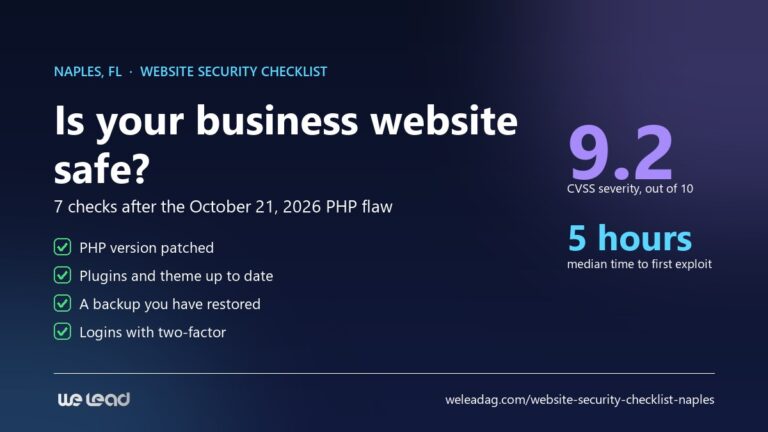
If you have not looked at the PHP side yet, our website security checklist covers it, along with the six checks that protect a small-business site the rest of the year.
Do I need to do anything?
It depends on how your site is set up, not on how big your business is.
| Your setup | Who installs 7.1.4 | What you do |
|---|---|---|
| WordPress with automatic updates on (the default) | WordPress itself | Confirm the version once. Nothing else. |
| WordPress with automatic updates switched off by a developer, a plugin or your host’s tools | Nobody, until someone clicks | Update today, after a backup. |
| WordPress several major versions behind | A backported fix for your branch, when it ships | Check that your branch received it, and plan the move to the current version. |
| A managed WordPress plan where the host controls updates | Your host | Ask the host in writing which version you are on. |
| Wix, Squarespace or Shopify | Not applicable | Nothing for this release. |
Automatic updates are not always on. The WordPress documentation lists several ways to turn them off, from a single line in the site’s configuration file to settings in hosting tools, and some developers switch them off on purpose so they can test updates first. That is a reasonable choice only if somebody actually does the testing and updating, every time.
How to check your site in 60 seconds
Look at the version
Log in to WordPress and open Dashboard, then Updates. The top of the screen tells you which version you run, and the same number appears in the bottom right corner of every admin screen.
Good answer: 7.1.4 or newer, and a note that you have the latest version.
See whether updates run on their own
On the same screen, just under the version, WordPress says whether the site is kept up to date automatically, and for which kinds of releases. If it only offers you a button to turn automatic updates on, they are probably off for major versions; maintenance and security releases may still run unless someone has disabled them.
Good answer: a line confirming automatic updates for at least maintenance and security releases.
Ask Site Health
Open Tools, then Site Health. If it reports a problem with background updates, the automatic system may be failing quietly, and the version from step 1 tells you whether this release got through.
Good answer: no warning about background updates.
If you need to update by hand
Take a backup first, or confirm your host made one today. Then go back to Dashboard, then Updates, and click Update Now. When it finishes, open your homepage and send yourself a message through your contact form.
Good answer: the site loads, the form arrives, and the version reads 7.1.4.
What happened on our own site
weleadag.com installed 7.1.4 by itself on the evening of October 28, at about 7:45 pm Naples time, without anyone touching it. The next morning we ran the checks we run after every update: the core files match the official release, the database needed no changes, every page still loads and the error log shows nothing new. That is what a healthy automatic update looks like, and it is why the most useful thing you can do this week is make sure yours are switched on.
On November 4, after the CISA listing, we looked again. The site has one administrator account, its core files still match the official release, there are no stray PHP files in the uploads or upgrade folders, and wp-config.php and .htaccess have not changed since our own edits on October 27. We did not review raw access logs for the update window, so this shows no sign of damage, not that nobody tried.
Remember that 7.1.4 fixes WordPress itself. Plugins and themes update separately, and they are where most WordPress vulnerabilities live: according to Patchstack, 91% of the new ones found in 2025 were in plugins. If you are choosing a platform with all of this in mind, here is how WordPress, Wix and Squarespace compare on upkeep.
Frequently asked questions
Not sure who updates your website? That is the question to answer this week. Our free audit checks your WordPress version, updates, backups and logins alongside your rankings, with a written list of what to fix first. If you would rather hand the whole job to someone, see what our web design work in Naples includes.
About the author. Rares Rata runs SEO and AI Search at We Lead in Naples, FL, and maintains the websites the agency builds. For the wider picture, start with our seven-point website security checklist, and if you are deciding who should look after your site, the questions to ask are in how to choose a web design company in Naples.